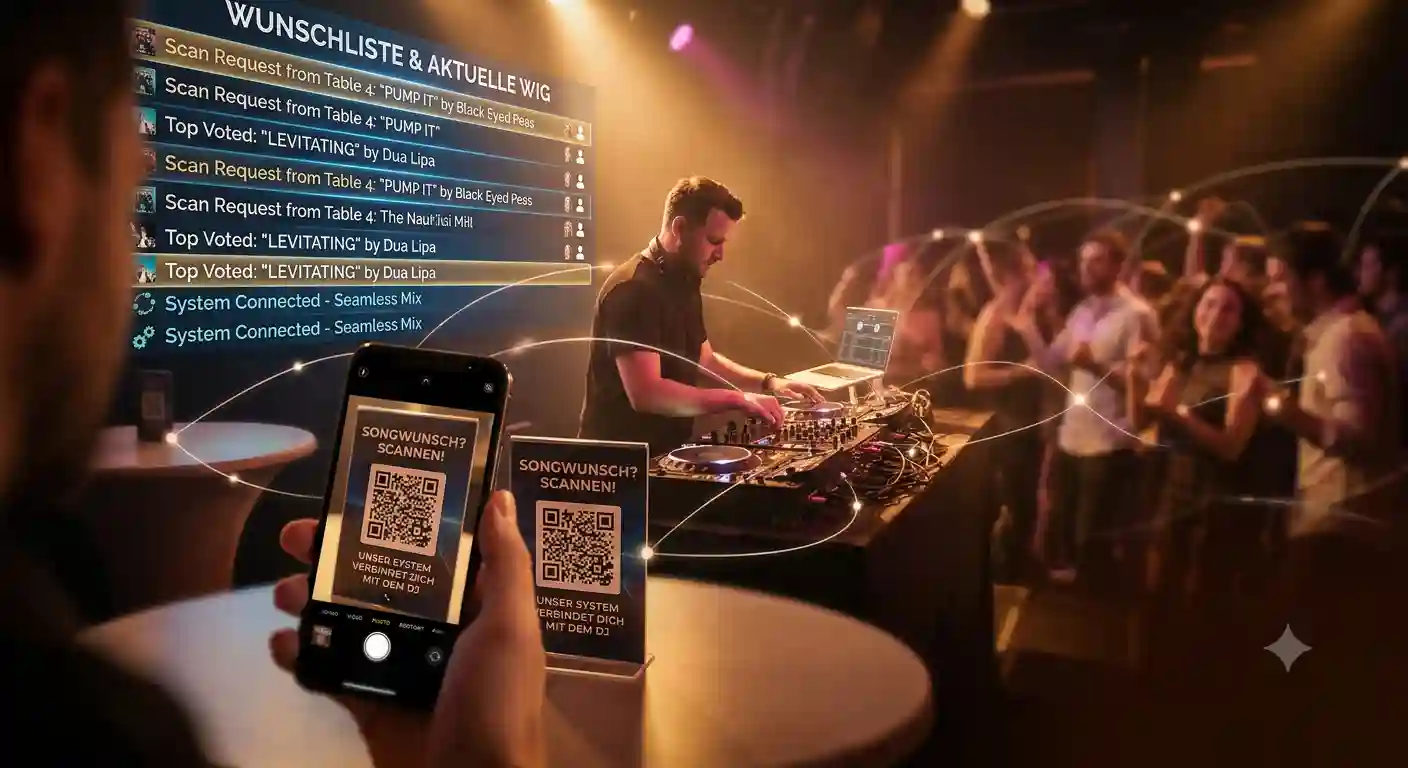
Scraps of paper at the booth, shouts in the middle of a transition, guests shoving their phone in your face — and at the end of the night, you still don't know what the dance floor actually wants to hear. That's what an evening without a system looks like.
DJ Beat & Bite turns that completely around. Whether you're a wedding DJ, event DJ, mobile entertainer, or spinning at birthdays and corporate parties: if you play open format and cover everything from the 70s through the 90s to today's charts, this system is an absolute game-changer. It brings the requests to you digitally, keeps interruptions off your back, and still lets you stay in charge of your playlist at all times.
This overview shows you everything the DJ module can do today — feature by feature, with a brief explanation of what it does for you in practice.
The Core: Accepting Song Requests via QR Code
The heart of it all: guests scan a QR code and enter their request — no app, no sign-up.
With one scan, the guest simply opens a web page, types in their song request, and submits it. The request lands on your dashboard instantly, neatly readable instead of half-shouted. Everything else in this article builds on this one, beautifully simple idea.
✅ Zero barrier for guests: No app download, no registration, no data entry. That's exactly why even the less tech-savvy guests join in — from teenagers to great-aunts.
For how the process works in detail, see the fundamentals article Song Requests via QR Code.
Managing the Rush: Traffic Light, Pause & Tabs
You decide at all times whether, how much, and what gets requested — with four tools that work together.
- Request Traffic Light (Green/Yellow/Red): controls whether and how many requests are allowed. The guest sees the color instantly on their phone — Green means "go ahead," Yellow means "high demand right now," Red means "stop." This lets you regulate the flow without having to turn anyone down in person.
- Pause requests: one button that completely stops incoming requests. Ideal for your peak set, the closing, or quiet moments.
- Queue, Played, Declined: the three tabs you use to sort requests and keep track of the evening. Each request moves to where it belongs with a single tap.
- Popularity counter: If the same song is requested multiple times, it appears only once in your list — with a number next to it. You see at a glance what's actually in demand, and play the track at exactly the right moment.
For how to handle even stressful phases with confidence, see the article Stop Annoying Song Requests: The Request Traffic Light for DJs.
Flexible Requesting: Title, Genre & DJ Input
Not every guest has a specific title in mind — and not every request comes in digitally. There's a solution for both.
- Enter requests yourself: If someone does come to the booth, you simply type the title or genre into your own input field. That way, every single request runs through the same system and nothing gets lost.
- Genre instead of title: Guests can also request an entire genre, not just a song. The useless "play something good" becomes a clear mood signal — and the song selection stays entirely with you.
Full Info on Every Song: BPM, Year, Genre, Cover & Notifications
For every request, you get the data you actually need for DJing — automatically.
- Song data — BPM, year, genre & cover: For every request, you see cover art, tempo, release year, and genre where available. Especially when you're playing across decades, that's invaluable: you can instantly tell if the request fits your current transition tempo-wise and which era it's from. The display can be turned off per event if you prefer a minimalist view.
- Notifications: Your browser notifies you of every new request — even when the window is in the background. Toggle on and off as you please. No more constantly checking; you get actively notified.
Visible to All: The Request Monitor
The request monitor is a display for projector screens or TVs — showing the most-requested songs, the last played track, and a large QR code for guests to join in.
It makes the entire request process visible: guests see what's trending and what just played, and can participate right from the screen. This noticeably boosts engagement and answers the question "Is my song still coming?" for everyone at once.
✅ No login, no hassle: Laptop to TV or projector, open the view, full-screen — done. No second login, no extra hardware.
Full details in the article Song Request Monitor for Screen & TV.
More Revenue: Tips & Tip-Only Mode
Since hardly anyone carries cash anymore, simply move the tip jar to where your guests' money actually is — their phone.
- Tips via PayPal: Guests give you a voluntary tip that goes directly to your PayPal account. The button sits right next to the request field — in the most emotionally charged moment of the evening.
- Tip-only mode: The QR code can be switched to tips only, without any request function. Perfect for musicians, bands, and live acts — and the print templates adapt automatically.
✅ Pays off quickly: Even a single tip per evening makes a noticeable difference — money that would simply be left on the table without a digital tip jar.
More on this in PayPal Tips: More Revenue for DJs & Musicians.
New Bookings: Booking Inquiries
Every gig is also your best showcase — and this feature turns impressed guests into your next booking.
Booking inquiries: Guests or event organizers can inquire about booking you directly through the page. Anyone experiencing you at your best doesn't have to jot down a number — they inquire with just a few taps. The inquiries land neatly in your dashboard. (Pro plan.)
Be Prepared: Advance Requests
You'll never show up to a gig unprepared again.
Advance requests: Guests can submit requests before the event — protected by a password that only invitees know. This way, you know in advance which direction the evening will go and can prepare your sets in a relaxed way. The rush on the night itself is noticeably reduced.
The Wedding Game-Changer: Wedding Couple Mode
The wedding couple mode is a dedicated area where the couple sets the most important preferences in advance — without flooding you with voice messages.
The couple sets at their own pace: the song for the first dance, the one for the cake cutting, a must-play list, and a no-go list of songs that must absolutely not be played. If a guest later requests a no-go title, it's automatically blocked — you don't even have to say no.
✅ No registration for the couple: No account, no download, no installation. All it takes is a link with a password you provide — one click, enter the password, done. The couple enters their preferences comfortably from home.
Why this makes the entire wedding evening more relaxed: Wedding DJ: Managing Song Requests Like a Pro.
Your Look: Event Page & Printouts
The request page and the handouts look like yours — not like an off-the-shelf template.
Event page & printout customization: You add a tagline below the event name and choose the font size for your DJ name. You also get ready-made print templates: A4 and A6 flyers, table tents, and a folding cube — optionally in a light, ink-saving print version. Everything is ready to use in minutes and looks professional on every table.
Print Once, Use Forever: Permanent Link
A fixed link and QR code that never changes.
Permanent link: Practical whenever the code needs to stay printed — for example on a fixed table tent, a banner, or your booth front. Print once and use the same code for every event, without reprinting each time.
Why DJ Beat & Bite Is Ahead of the Competition
Other providers often solve the same core problem with much more friction — for your guests and for your wallet.
⚠️ With many other systems: Your guests have to install an app first or register with an email or phone number. Every additional hurdle costs you requests — half of them drop out before they even start.
⚠️ Expensive auto-import: Solutions that automatically push requests into your DJ software require a paid DJ streaming subscription. Especially for occasional and wedding DJs, that's unnecessary monthly spending.
✅ With DJ Beat & Bite: The guest just scans the code — no app, no sign-up, no data. You play from your own music, without an expensive add-on subscription. And you don't have to type anything: keep the dashboard open as a second window, copy the song title, paste it into the search bar of Serato, Rekordbox & Co.
The full cost and legal breakdown around streaming subscriptions is covered here: Song Requests & Serato: Do I Need a Streaming Subscription?
Who This Is Made For
In short: anyone who performs in front of an audience and wants to take their guests' requests seriously.
- Wedding DJs — with wedding couple mode, advance requests, and no-go list, the most confident way through the most emotional evening.
- Event & mobile DJs — full control over the rush, no matter how packed the floor gets.
- Open-format DJs who mix everything from the 70s through the 80s, 90s, and 2000s to today's charts — the song data with BPM, year, and genre is a real advantage here.
- Musicians, bands & live acts — thanks to tip-only mode, the code becomes a digital tip jar.
- Birthdays, corporate events, club parties, carnival & festivals — anywhere lots of people want to have a say at the same time.
Made in Germany & GDPR
Reliability isn't an afterthought — it's built in.
DJ Beat & Bite is Made in Germany, runs on German servers, and is GDPR-compliant. Since your guests don't need to register, no user accounts are created that would need to be stored anywhere.
Conclusion
From simple song requests via QR code to the traffic light, monitor, and song data, all the way to tips, booking inquiries, and wedding couple mode: DJ Beat & Bite isn't a toy — it's a well-thought-out tool that keeps your back free and makes you look more professional. No app requirement, no sign-up for guests, no expensive add-on subscription — but Made in Germany and GDPR-compliant.
For wedding, event, and open-format DJs who take their guests seriously and still want to keep control, this is simply an absolute game-changer.